
Ever wondered what’s powering a cool website you stumbled upon? A WordPress theme and plugin detector lets you peek under the hood without much hassle. The key takeaway here is that with the right tool, you can quickly identify themes and plugins to get ideas for your own site or troubleshoot issues, saving you time and effort.
What Is a WordPress Theme and Plugin Detector?
It’s basically a tool that scans a website and tells you which WordPress themes and plugins are in use. Think of it as a detective for your browser. You enter a URL, and it pulls up details like the theme name, version, and active plugins. This helps with inspiration, security checks, or just curiosity about site builds.
Why Should You Use a WordPress Theme Detector?
Sometimes you see a site with slick features and want to know how they did it. A plugin detector reveals things like SEO tools or contact forms. It also spots outdated themes that might have vulnerabilities. For developers or site owners, it’s a quick way to analyze competitors or debug problems.
How Does a Plugin Detector Work?
These tools look at the site’s source code, stylesheets, and scripts. They search for clues like file paths in wp-content folders. Some use databases of known WordPress plugins and themes to match patterns. It’s not always perfect if a site hides details, but most give solid results.
Here’s a simple table breaking down common methods to detect WordPress themes and plugins:
| Method | How It Works | Pros | Cons |
|---|---|---|---|
| Browser Dev Tools | Open inspector, search for “wp-content/themes” or “plugins” in network tab. | Free and quick. | Requires some tech know-how. |
| Online Scanners | Enter URL into a web-based WordPress theme detector. | Easy for beginners. | May miss customized setups. |
| Chrome Extensions | Install and click to scan. | Instant results. | Limited to basic info. |
| Manual Source View | Ctrl+U, then Ctrl+F for keywords like “theme” or plugin names. | No tools needed. | Time-consuming. |
Step-by-Step: Using a WordPress Theme and Plugin Detector
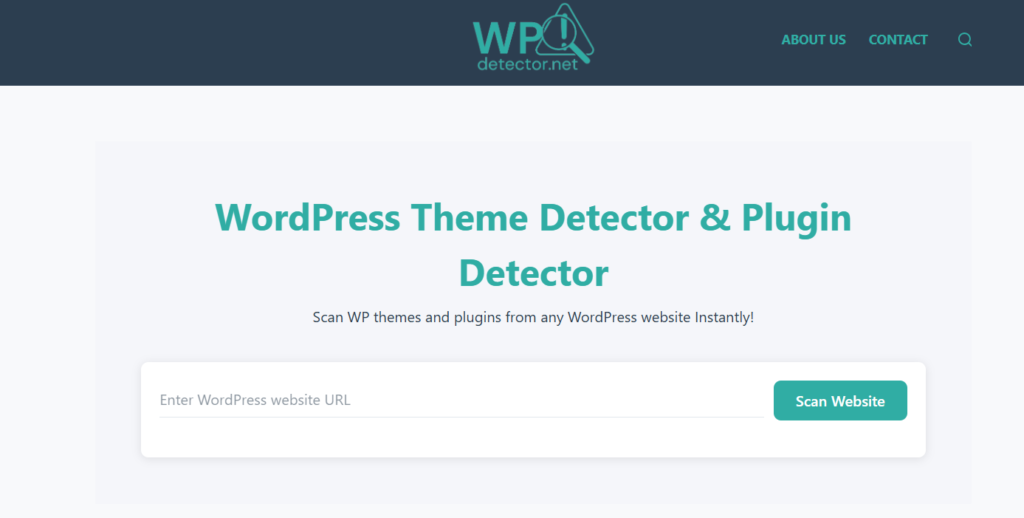
Let’s walk through it. First, pick a tool—yours or something like wp theme detector Go to the site, paste the URL you want to check, and hit scan. Wait a few seconds for the report. It lists the theme, active plugins, and sometimes even hosting info. If nothing shows, the site might not be WordPress-based or could be cloaked. Try another detector for confirmation.
How Can You Spot Hidden WordPress Plugins?
Some sites try to obscure their setup for security. Look deeper in the code for script tags or API calls. A good plugin detector handles this by cross-referencing known signatures. If it’s tricky, manual inspection in the page source often reveals hints.
What Are the Best Free WordPress Theme Detectors?
Free options work great for most needs. Your own WordPress theme and plugin detector is a solid start. Others include browser-based ones that don’t require sign-ups. Pick based on how detailed you want the output—some show versions, others just names.