
Have you ever visited a beautifully designed WordPress website and wondered, “What theme are they using?” or “Which plugins make those features work?” You are not alone! Web designers, developers, and business owners constantly look for inspiration from other successful websites.
Instead of digging through complex website code, you can use online scanner tools to do the heavy lifting for you. In this guide, we will explore the best tools available this year to help you find the exact setup of any WordPress site.
Top 10 WordPress Theme and Plugin Detectors in 2026: Features and Comparisons
1. WPDetector.net
If you want a fast, all-in-one solution, WPDetector.net is the absolute best tool in 2026. It is designed to be incredibly user-friendly while offering deep insights that both beginners and advanced developers will love. It doesn’t just stop at giving you a name; it gives you actionable next steps.
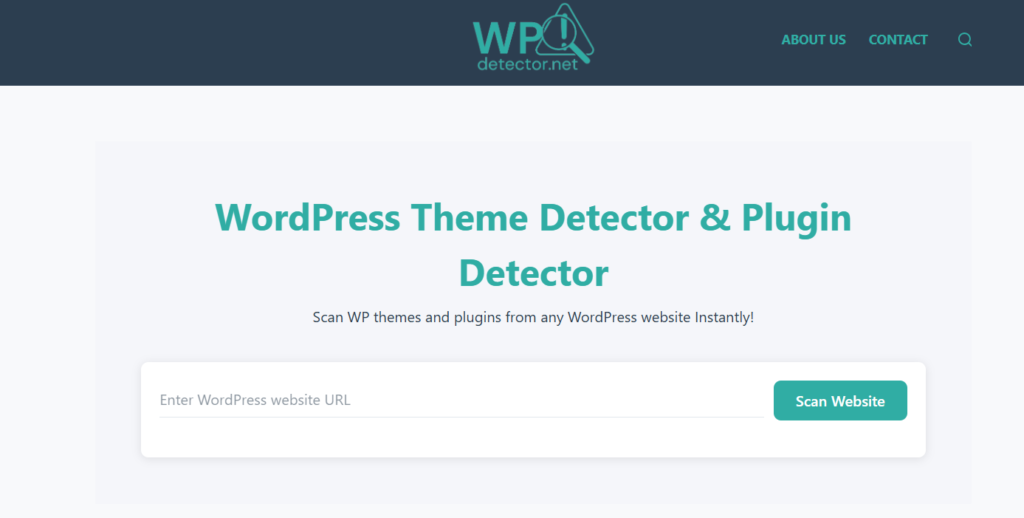
- Complete Detection: Accurately identifies both active themes and hidden plugins.
- Version Tracking: Shows you the exact version numbers of the themes and plugins being used.
- Direct Access: Provides instant download and live preview links for the detected themes and plugins.
- Custom Theme Support: If a website is using a custom-built theme, WPDetector.net displays a handy “Google Search” button so you can instantly research the creators or similar custom designs.
2. IsItWP
IsItWP is a very popular and straightforward tool. It is great for quickly checking if a website is built on WordPress in the first place.
- Features: Detects basic themes, popular plugins, and even reveals the website’s hosting provider.
- Comparison: While great for hosting details, it doesn’t always provide the direct download links or custom theme search buttons that WPDetector.net offers.
3. ScanWP
ScanWP is a reliable web-based scanner that provides a good amount of detail for competitors’ websites.
- Features: Shows the theme name, price, vendor, and a list of active plugins.
- Comparison: It is highly accurate but the interface can feel a bit cluttered compared to newer tools.
4. WPThemeDetector (WPTD)
WPThemeDetector is one of the oldest and most well-known tools on the market. It provides a highly detailed breakdown of a website’s setup.
- Features: Displays parent themes, child themes, and rich author details.
- Comparison: Because it pulls so much background data, the scan can sometimes take longer to load than faster tools like WPDetector.net.
5. WPBeginner Theme Detector
Created by the popular WordPress tutorial site, this is a very simple and safe tool aimed strictly at beginners.
- Features: Quickly identifies the active theme and points you toward where to buy or download it.
- Comparison: It focuses mostly on themes and completely skips plugin detection, making it less useful if you want a full website analysis.
6. What WordPress Theme Is That
This classic tool does exactly what its name suggests. It is a no-nonsense website lookup tool.
- Features: Detects the main theme, parent themes, and a handful of popular plugins.
- Comparison: The design is a bit dated, and it struggles to detect newer, less popular plugins.
7. WPoptic
WPoptic is a newer tool that prides itself on speed and high accuracy, especially when dealing with complex website builds.
- Features: Excellent at identifying child themes and custom frameworks in under a few seconds.
- Comparison: It is incredibly fast, but it is heavily focused on themes rather than giving equal weight to plugin discovery.
8. BuiltWith
BuiltWith is not just for WordPress; it is a massive technology lookup tool used by marketing professionals.
- Features: Shows you everything from the WordPress theme to the email server, analytics tools, and payment gateways the site uses.
- Comparison: It is incredibly powerful but can be overwhelming. If you only want to know about WordPress themes and plugins, it provides too much unnecessary data.
9. Wappalyzer
Wappalyzer is best used as a browser extension (like for Chrome or Firefox) rather than a standalone website tool.
- Features: Click the extension icon while browsing a site to instantly see the CMS, theme, and basic plugins.
- Comparison: It is very convenient for browsing, but it lacks the detailed version numbers and download links found on dedicated web apps.
10. Satori Studio Theme Detector
Satori Studio offers a very clean, minimalist tool that does one job and does it well without any distractions.
- Features: Strips away the clutter to simply show you the theme name, author, and description.
- Comparison: It is visually pleasing but lacks plugin detection entirely, limiting its overall usefulness.
Here’s a comparison table of the top 10 WordPress theme and plugin detectors based on features, ease of use, and reliability in 2026:
| Tool Name | Free/Paid | Theme Detection | Plugin Detection | Other Features | Pros | Cons |
|---|---|---|---|---|---|---|
| WPDetector | Free | Yes (name, version, download/preview links) | Yes (name, version) | Google search for custom themes, hosting detection | Accurate for most sites, detailed links for downloads and previews, handles custom themes well | May miss heavily modified setups |
| IsItWP | Free | Yes (name, version, author) | Yes (with download links) | Hosting detection, site title info | Simple interface, quick results with reviews | Some links push their own site |
| ScanWP | Free | Yes (name, price, tags, vendor) | Yes (name, price, links) | Add-on detection, Chrome extension | Large database, convenient extension | Ads on the site |
| WPThemeDetector | Free | Yes (child/parent themes, version) | Yes (descriptions and links) | Theme provider links | Clean, ad-free interface | Limited plugin details |
| BuiltWith | Free (basic)/Paid | Yes | Yes | Tech stack analysis, hosting, analytics | Broad insights beyond WordPress | Free version limited, custom sites may reduce accuracy |
| ThemeDetect | Free | Yes | Limited | Basic scans | Quick for theme-only checks | Fails on some customized sites, no strong plugin support |
| What WordPress Theme Is That (by WPShout) | Free | Yes (name, version, author) | No | License and description | Focused and accurate for themes | No plugin detection |
| SEOMagnifier | Free | Yes (name, version, author) | Yes (developer info) | Fast servers, integrated SEO tools | Unlimited use, quick delivery | Less specialized for WordPress |
| WordPress Theme Detector (by Satori Studio) | Free | Yes (name, version, description) | No | Handles minified code | Good for complex sites | No plugins, basic output |
| Wappalyzer | Free (basic)/Paid | Yes | Yes | Full tech stack, Chrome extension | Broad technology coverage | Custom mods can limit results, paid for advanced features |
Conclusion
Knowing what your competitors are using is the best way to improve your own WordPress website. While there are many tools out there, wp theme and wordpress plugin detector stands out as the best overall choice in 2026. By giving you versions, download links, preview links, and a smart Google search fallback for custom themes, it saves you time and gets you exactly the information you need.